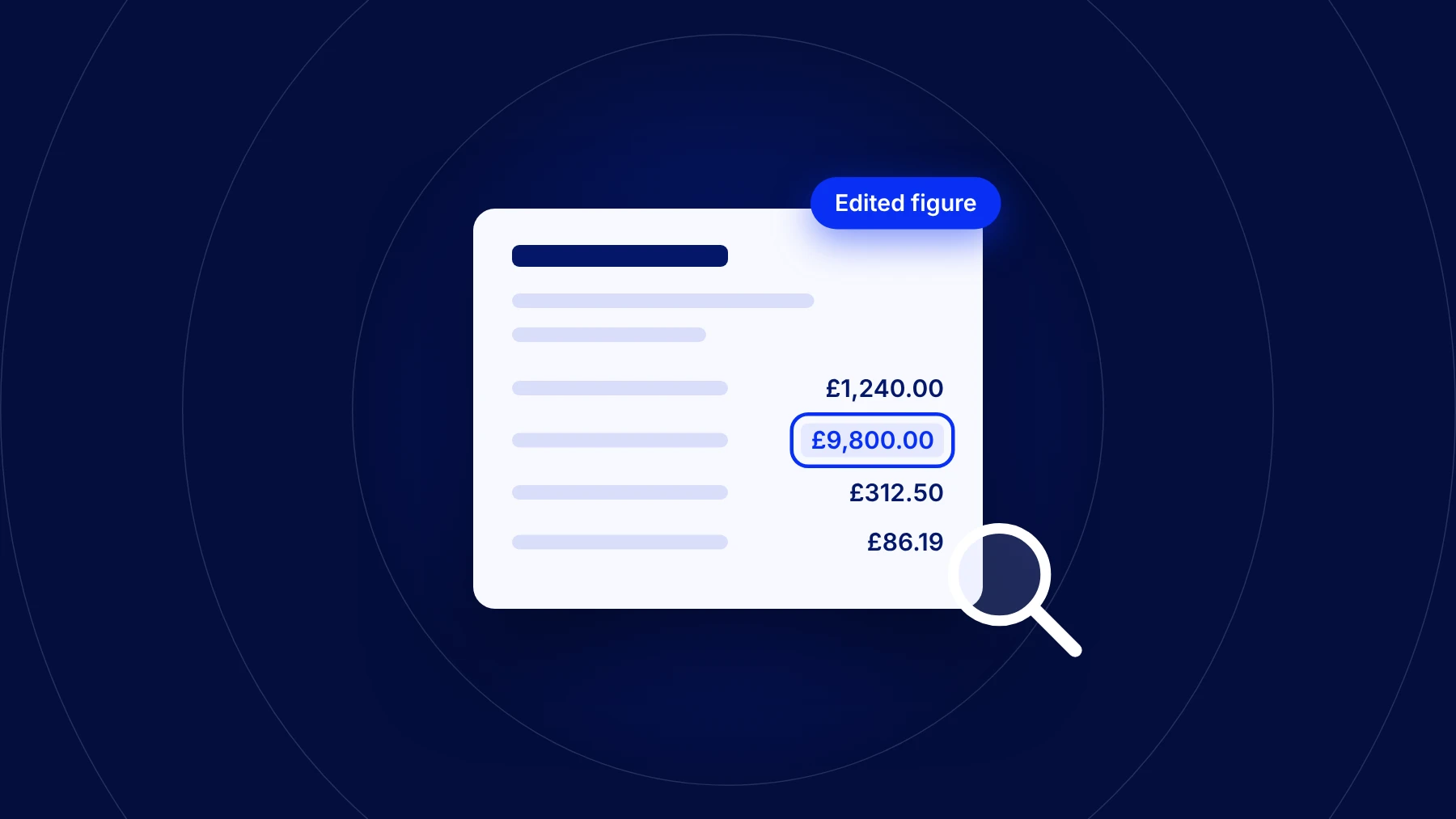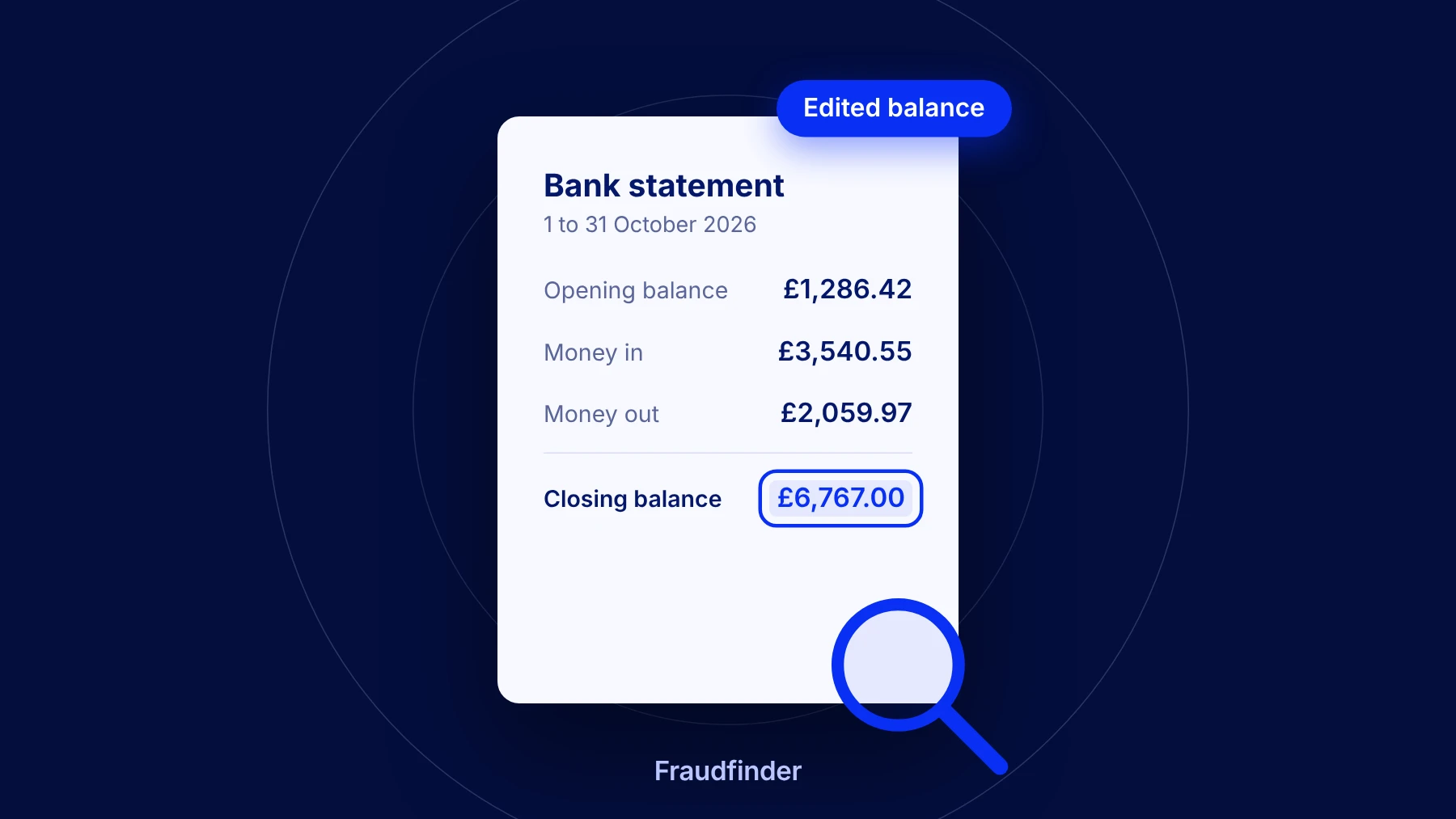
A fake bank statement detector checks the file itself, not just what's printed on it. It looks for fonts that don't match the bank's, text layered over the original, edit history left inside the PDF, software traces in the metadata and transactions that don't add up to the balance. Most edited statements look perfect to the eye. The giveaways are almost always under the surface.
Bank statements and payslips sit at the heart of almost every lending decision, from asset finance and business finance to motor finance and mortgages. And because they're just PDFs, they're easy to edit. Below is what an edited statement actually looks like, with real examples we've caught, and how lenders check them at scale.
How do you spot a fake bank statement?
Start with the quick visual checks, then check the file. A careful forger will get past the first list. Very few get past the second.
What you can check by eye:
Fonts, sizes or spacing that change within a line or a column
Numbers that sit slightly off the line, or don't align with the rest of the column
A blurry or low-resolution logo next to sharp text
Running balances that don't follow from the transactions above them
Spelling mistakes, odd abbreviations or a bank email address that looks wrong
A name or address that doesn't match the rest of the application
What needs a document check:
More than one layer, where new text has been placed over the original
Previous versions saved inside the PDF
Editing software in the metadata (a bank doesn't issue statements from a design tool)
A layout that doesn't match any known template for that bank
Barcodes or QR codes that don't match the details printed on the page
How do you check if a bank statement is real?
Check three things: the file, the numbers and the person. An authentic statement is an original PDF from online banking, its balances reconcile line by line, and the name and account belong to the applicant. If any one of those fails, treat it as a possible forgery until you know otherwise.
The file: ask for the original PDF, not a photo or screenshot, and run a document check for layers, saved versions and editing software.
The numbers: add up the transactions and make sure every running balance follows. Altered statements usually change a balance or a salary line and forget the maths.
The person: confirm the account belongs to the applicant with Confirmation of Payee, and compare the statement with their payslips and ID.
Still not sure? Ask the applicant to share their account through Open Banking, or to get a fresh copy straight from their bank.
What does an edited bank statement look like?
Here are three we've caught. None of them would have stood out in a quick manual review.
Seven fonts on one HSBC statement
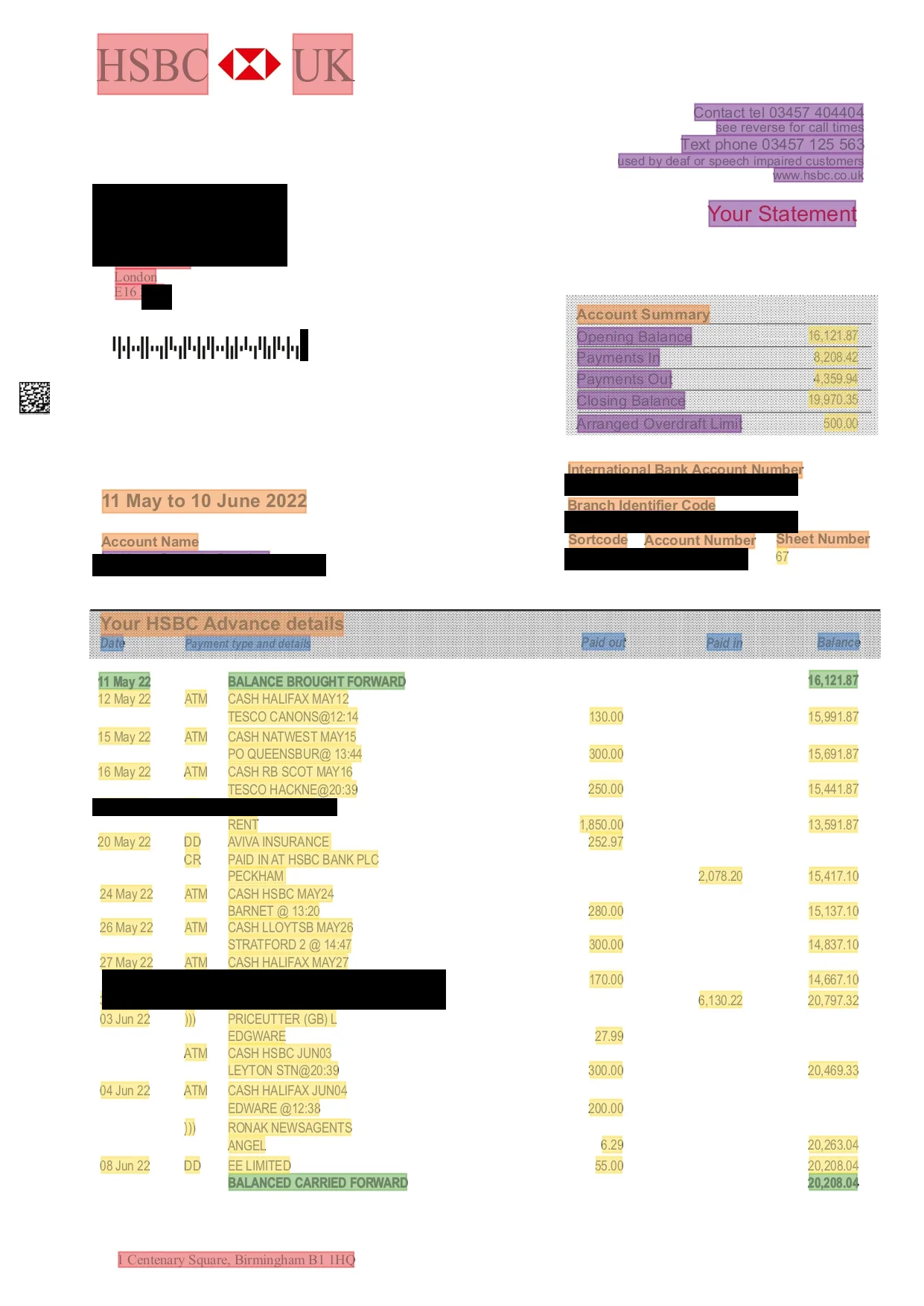
This statement used seven different fonts, several of which HSBC doesn't use. New text had been layered over the original, the metadata showed it had been through CorelDraw, and the barcode in the top left didn't match the address printed on the statement.
A payslip with 14 previous versions

Someone inflated their monthly salary on this payslip. The file still held 14 earlier versions, so we could see each edit step by step before the final one was submitted.
A doctored Metro Bank summary
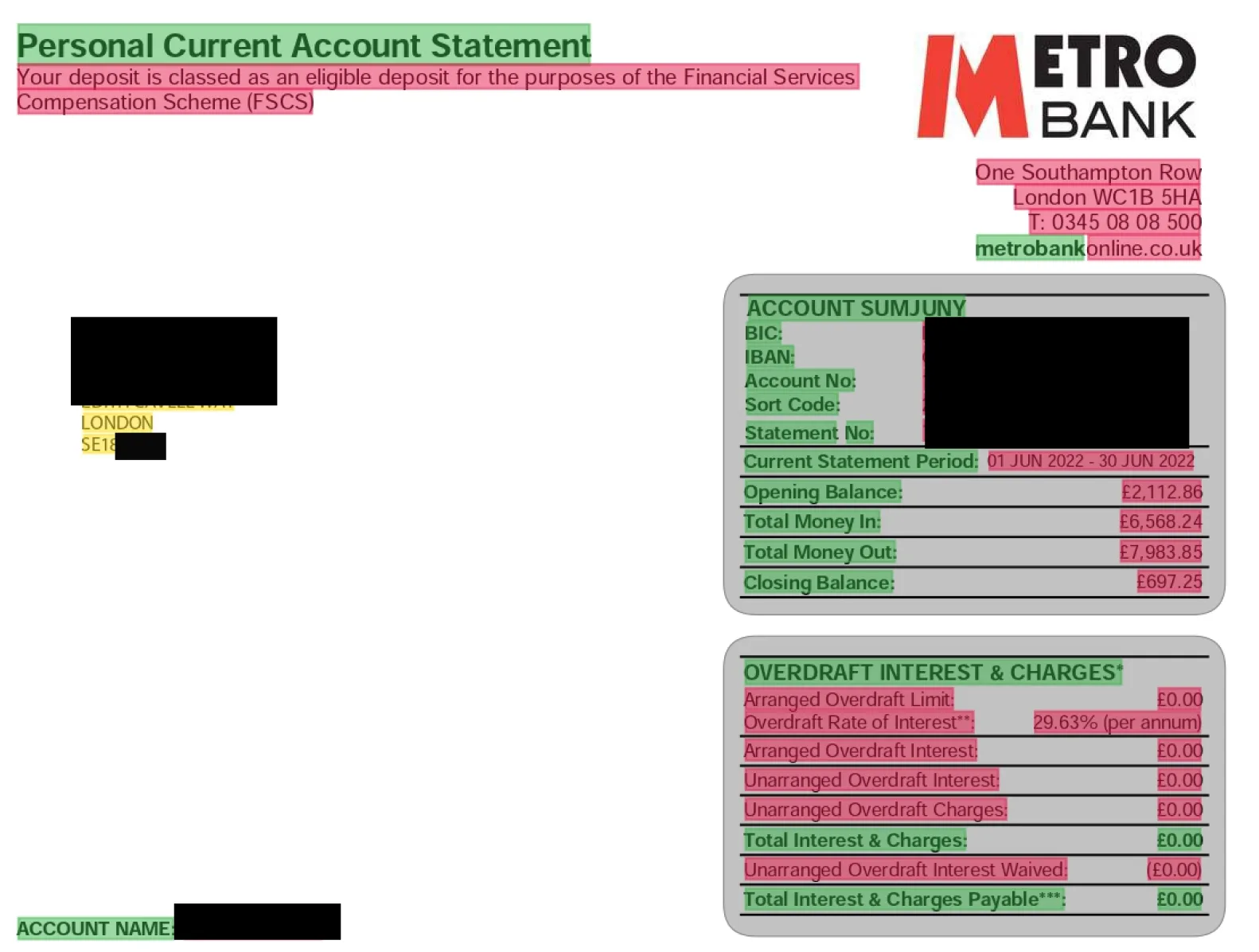
Each colour is a different font. The bank's email address had been edited, so had several entries in the account summary. And there were spelling mistakes a bank wouldn't make. Online PDF editors rarely carry the exact fonts banks use, so even a one-digit change can leave a mark.
There's also a short video of an applicant changing the address on their statement to hide a poor credit history. Watch the address change example.
Which edits are most common?
| What gets changed | Why | Where it shows up |
|---|---|---|
| Closing or available balance | To look more solvent | Balance doesn't reconcile with transactions |
| Salary or income credits | To pass income checks | Odd fonts or alignment on single lines |
| Name or address | To use someone else's statement, or hide a history | Layered text, mismatched barcode |
| Dates | To make an old statement look recent | Font changes, earlier versions in the file |
| Gambling or returned payments | To hide spending a lender would query | Transactions that don't add up to the running balance |
| The whole statement | Built from a template | Layout doesn't match the bank, editing software in metadata |
Why don't manual checks catch them?
Because a good edit is invisible on screen. Reviewers are checking dozens of documents a day, often against the clock, and they're looking at the rendered page. The evidence (layers, saved versions, metadata) lives in the file. Adding up every transaction by hand isn't realistic either, which is why balance edits slip through so often.
So the practical answer is to check the file automatically and save the human time for the cases that need it.
How do lenders check bank statements at scale?
Most lenders run every statement through document fraud detection software before it reaches an underwriter, either in a portal or through an API. With Fraudfinder that means:
Bank statement fraud checks for edits, layers, versions, metadata and template fakes, on statements, payslips, utility bills, tax documents and more
Balance reconciliation that adds up every transaction and flags balances that don't follow
Confirmation of Payee to check the account really belongs to the applicant
Data extraction so the statement's details drop straight into your systems
Results come back in seconds, with the reasons shown on the document, so an underwriter can see exactly what changed. For higher-value or higher-risk cases there's Boost.
Choosing a tool for your team? See how our bank statement verification software works.
Want to see a check run? Drag our edited bank statement into Fraudfinder and watch what it finds. Try it.
FAQs
How do I detect fake bank statements in loan applications?
Ask for the PDF downloaded from online banking, then check the file as well as the page. Reconcile the balances, confirm the account belongs to the applicant, and compare the statement with the other documents in the application. Edited statements rarely turn up alone.
Can a fake bank statement be detected?
Yes. Even when it looks perfect, an edited PDF usually leaves traces: extra layers, earlier versions, editing software in the metadata, fonts the bank doesn't use, or balances that don't add up.
Can I check a bank statement's authenticity myself?
Partly. You can do the visual checks and the maths by hand. But proving the file hasn't been altered needs a document check, because the evidence of forgery sits in the PDF's layers, versions and metadata, not on the page.
Is it illegal to use a fake bank statement?
In the UK, using a fake or altered bank statement to get credit, a tenancy or any other financial product is fraud by false representation under the Fraud Act 2006.
How do lenders verify bank statements?
Most check the document for edits, reconcile the transactions against the balances, confirm the name and account details match the applicant and, where they can, compare against Open Banking data. Read more in how lenders verify bank statements.
Can you tell if a PDF bank statement has been edited?
Often, yes. PDFs keep a lot of history: the software that saved them, the fonts embedded, and sometimes every previous version. A document check reads all of that, which the human eye can't.
What about photos or screenshots of statements?
They're harder to verify because the file history is gone, and in our data they're riskier than original PDFs. Where you can, ask for the PDF downloaded from online banking.
Can ChatGPT detect a fake bank statement?
Sometimes. An AI chatbot can spot obvious problems and the odd careless edit, but it only has the one file to go on. It can't compare the statement with real ones from that bank or check the account with the bank. We've written up what AI chatbots can and can't check.
Read next: how to spot forged and fake documents, how to identify a fake utility bill and how to detect and prevent application fraud.